
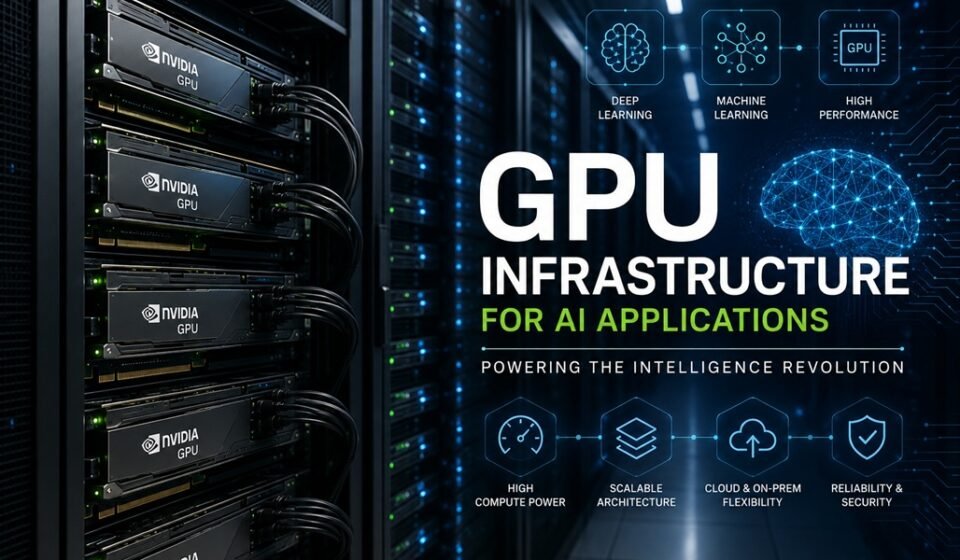

Artificial intelligence now powers real-time video generation, voice synthesis, large language models, and predictive analytics at enterprise scale. Behind every one of these capabilities sits a piece of hardware that has become the backbone of modern AI: the Graphics Processing Unit, or GPU. Understanding what a GPU is, why AI demands it, and how to cost-effectively access one can mean the difference between a project that scales and one that stalls.
What Is a GPU?
A GPU is a specialized processor originally designed to accelerate the rendering of images and video for display output. Unlike a Central Processing Unit (CPU), which contains a small number of powerful cores optimized for sequential tasks, a GPU contains thousands of smaller cores engineered for parallel computation — executing many operations simultaneously.
This architectural difference is what makes GPUs indispensable for AI. Training a neural network involves billions of matrix multiplications performed across massive datasets. A CPU processes these calculations in sequence; a GPU processes them in parallel, reducing compute time from weeks to hours, or hours to minutes.
Modern AI-focused GPUs — such as NVIDIA’s H100, A100, and RTX 4090 — go further, incorporating dedicated Tensor Cores that accelerate the specific floating-point operations used in deep learning frameworks like PyTorch and TensorFlow.
Why AI Applications Demand GPU Power
AI workloads are computationally intensive by nature. Consider a few concrete examples:
- Video generation models such as Sora or RunwayML require GPUs to render thousands of frames, each conditioned on complex latent-space representations. Generating a single 10-second AI video clip can require hours of compute on consumer-grade hardware.
- Large language model inference demands rapid matrix operations across billions of parameters to return a coherent response within milliseconds.
- Image diffusion models like Stable Diffusion iterate through hundreds of denoising steps per image, a process practically unworkable on CPU alone.
In each case, the GPU’s parallel processing architecture reduces latency and makes real-time or near-real-time AI viable.
The Cost of GPU Access: Buying vs. Renting
Accessing GPU compute comes down to two primary paths: purchasing hardware outright or renting it from a cloud provider.
Buying a GPU
Purchasing a high-end GPU requires significant capital. An NVIDIA H100 SXM5 can cost between $25,000 and $40,000 per unit. Even a prosumer-grade RTX 4090 retails around $1,600–$2,000. Beyond the hardware itself, ownership introduces ancillary costs: server infrastructure, cooling systems, power consumption, maintenance, and depreciation as newer architectures emerge.
Renting from Traditional Cloud Providers
Major cloud providers such as AWS, Google Cloud, and Azure offer GPU instances on demand. An NVIDIA A100 instance on AWS (p4d.24xlarge) runs approximately $32 per hour. While this eliminates upfront capital expenditure, costs accumulate rapidly — particularly when instances are left running during idle periods or when reserved pricing locks teams into multi-year commitments.
Buying vs. Renting: At a Glance
| Factor | Buying | Renting (Traditional Cloud) |
|---|---|---|
| Upfront Cost | Very High ($1,600–$40,000+) | None |
| Ongoing Cost | Power, cooling, maintenance | Hourly/monthly billing |
| Idle Cost | Fixed (always-on cost) | Billed even when idle |
| Scalability | Limited by hardware owned | Flexible, but costly to scale |
| Hardware Refresh | Manual, expensive | Provider-managed |
| Best For | Consistent, high-volume workloads | Variable short-term usage |
Community Cloud GPU Renting: A Smarter Cost Model
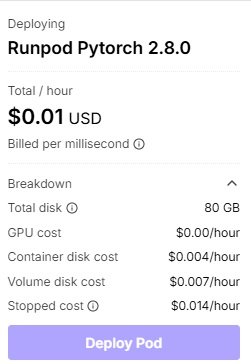 A newer and increasingly compelling option is the community cloud GPU marketplace — platforms such as Vast.ai, RunPod, or Foundry that aggregate underutilized GPUs from independent data centers, research institutions, and individual providers into a shared rental marketplace.
The defining advantage of community cloud platforms is their pay-as-you-go billing model tied strictly to active usage. Unlike traditional cloud providers that bill for an entire instance — including idle time — community cloud providers charge only when the GPU is actively processing workloads. For teams with bursty or experimental compute needs, this can reduce costs by 40–70% compared to reserved cloud instances.
Additional benefits include:
- Lower base rates: Community GPU rates often range from $0.20 to $2.00 per hour for capable hardware, compared to $8–$32/hour on major cloud platforms.
- Hardware variety: Access to a wide range of GPU models, enabling teams to match hardware to the specific demands of each workload.
- No long-term commitment: Spin up capacity for a training run and release it immediately upon completion.
Traditional Cloud vs. Community Cloud: Side-by-Side
| Factor | Traditional Cloud Providers | Community Cloud Providers |
|---|---|---|
| Hourly Rate (A100-class) | $8–$32/hour | $0.80–$2.50/hour |
| Idle Billing | Yes — billed continuously | No — pay only for active use |
| Contract Requirements | Often reserved (1–3 year) | None |
| Hardware Selection | Limited catalog | Broad, diverse inventory |
| SLA & Uptime Guarantees | Enterprise-grade | Varies by provider |
| Setup Complexity | Low | Low to moderate |
| Best For | Enterprise compliance needs | Cost-conscious AI teams, startups |
Conclusion
GPU infrastructure is no longer optional for organizations serious about AI. The question is not whether you need GPUs, but how to access them intelligently. Buying hardware suits organizations with consistent, predictable demand and the operational capacity to manage infrastructure. Traditional cloud providers offer reliability and compliance guarantees worth paying for in enterprise contexts.
For the majority of AI teams — startups, researchers, and growth-stage companies running variable workloads — community cloud GPU renting delivers the best combination of affordability and flexibility. By charging only for active compute rather than idle instance time, these platforms align cost directly with value, enabling teams to experiment, iterate, and scale without burning budget on dormant hardware.
The future of AI compute is elastic. Building your infrastructure strategy around that reality is the competitive advantage that matters.
Frequently Asked Questions
Q: Do I need a GPU for every AI application?
Q: Is community cloud GPU renting secure?
Q: How do I choose between GPU models for my workload?
Q: Can community cloud GPUs scale for enterprise workloads?