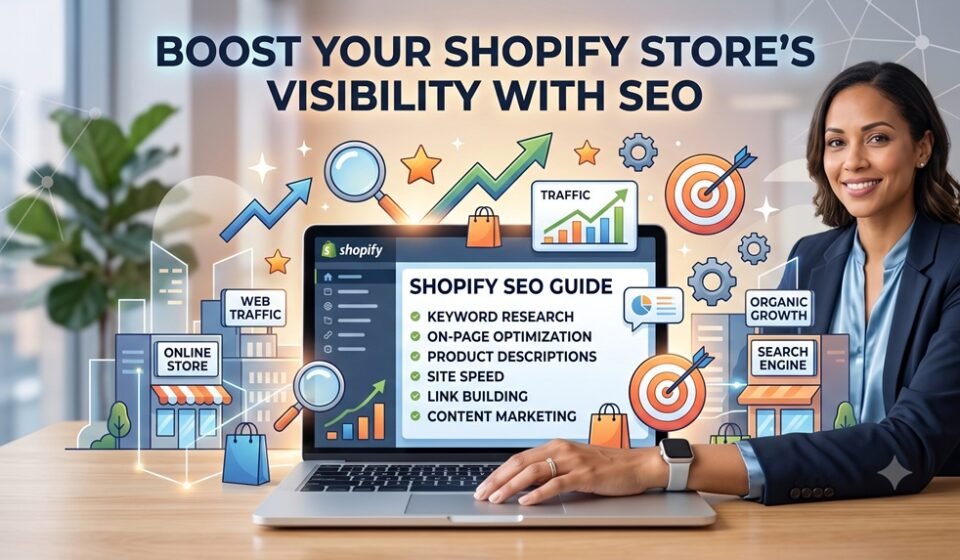

Running a Shopify store without a solid SEO strategy is like opening a shop in the middle of the desert — beautifully built, but impossible to find. Whether you’re just launching or looking to scale, mastering Shopify SEO can be the difference between sporadic sales and consistent, compounding growth. Here’s everything you need to know to drive more organic traffic to your store.
Why SEO Matters for Shopify Stores
Search engine optimization isn’t just about ranking higher on Google — it’s about getting in front of the right customers at the right moment. Shopify is an SEO-friendly platform by nature, but the default setup only gets you so far. To truly compete, you need a multi-layered approach that covers technical SEO, content marketing, and product discoverability.
1. Optimize Your Product Pages
Your product pages are your most powerful conversion tools — and your biggest SEO opportunity. Focus on:
- Unique product descriptions: Avoid copying manufacturer copy. Write original descriptions that include your primary keywords naturally.
- Title tags and meta descriptions: Shopify allows you to customize these in the “Edit website SEO” section of each product. Use your target keyword near the beginning of the title.
- Image alt text: Every product image should have a descriptive alt tag that includes relevant keywords.
- Structured URLs: Keep them short, descriptive, and keyword-rich (e.g.,
/products/womens-leather-handbag).
2. Set Up Google Merchant Center for Product Listings
One of the most underutilized traffic drivers for Shopify stores is Google Merchant Center. By connecting your store to Google Merchant Center, your products can appear in Google Shopping results, the Shopping tab, and even organic product listings — completely free.
Here’s how to get started:
- Create a free account at merchants.google.com
- Verify and claim your Shopify store’s domain
- Set up a product feed — Shopify’s Google & YouTube app makes this straightforward
- Ensure your product data (titles, descriptions, pricing, availability) is accurate and optimized
- Enable free listings under the “Growth” section of your Merchant Center dashboard
Google’s free product listings put your inventory directly in front of high-intent shoppers — people already searching for what you sell. This is organic visibility that most store owners leave on the table.
3. Build a Content Strategy That Drives Traffic
Blogging remains one of the highest-ROI SEO tactics available to e-commerce brands. Consistent, keyword-targeted blog posts build topical authority, attract backlinks, and bring in top-of-funnel traffic that eventually converts.
The challenge? Most Shopify store owners don’t have time to write regularly.
Automate Blogging with Rock It Web’s Content Studio
This is where Rock It Web’s Content Studio becomes a game-changer. Content Studio is purpose-built to help Shopify merchants automate their blogging workflow — from keyword research and AI-assisted content creation to scheduled publishing — all without sacrificing quality.
With Content Studio, you can:
- Generate SEO-optimized blog posts tailored to your niche and product catalog
- Schedule and publish automatically to your Shopify blog on a consistent cadence
- Build topical clusters that strengthen your site’s authority in Google’s eyes
- Stay ahead of competitors who are manually struggling to keep up with content demands
Rather than letting your blog sit dormant (which actively hurts your SEO), Content Studio keeps your store producing fresh, relevant content every week — on autopilot. For growing Shopify brands, this is not a luxury; it’s a competitive necessity.
4. Improve Your Site Structure and Internal Linking
Google needs to crawl and understand your store efficiently. A clean site structure supports that:
- Use collections strategically to group products logically
- Add internal links from blog posts to relevant product and collection pages
- Create a sitemap (Shopify auto-generates one at
/sitemap.xml) and submit it to Google Search Console - Fix any broken links or redirect chains that dilute link equity
5. Build Backlinks and Local Authority
Off-page SEO still matters. Reach out to bloggers, press outlets, and industry directories for mentions and links. If you serve a local market, claim your Google Business Profile and ensure your NAP (Name, Address, Phone) is consistent across all platforms.
Conclusion
Shopify SEO is not a one-time task — it’s an ongoing investment that compounds over time. By optimizing your product pages, leveraging Google Merchant Center’s free listings, building a consistent content strategy with tools like Rock It Web’s Content Studio, and maintaining a healthy site structure, you can turn your Shopify store into a traffic-generating machine.
Start with one area, build momentum, and let the results guide your next steps.
Frequently Asked Questions
Q: How long does it take to see SEO results on Shopify?
A: Typically 3–6 months for meaningful organic traffic growth, though this depends on your niche competition and how consistently you implement SEO best practices.
Q: Is Google Merchant Center free to use?
A: Yes. Google offers free product listings through Merchant Center, allowing your products to appear in Google Shopping results without paid ads.
Q: How often should I publish blog content on my Shopify store?
A: At minimum, once per week. Tools like Rock It Web’s Content Studio can automate this process so consistency is never a bottleneck.
Q: Do I need a developer to improve Shopify SEO?
A: Not for most tasks. Shopify’s interface makes on-page SEO accessible to non-technical users, and apps can handle more advanced needs.
Q: What is the most important Shopify SEO factor?
A: There’s no single factor, but quality content combined with proper on-page optimization and a strong internal linking structure consistently drives the best results.