
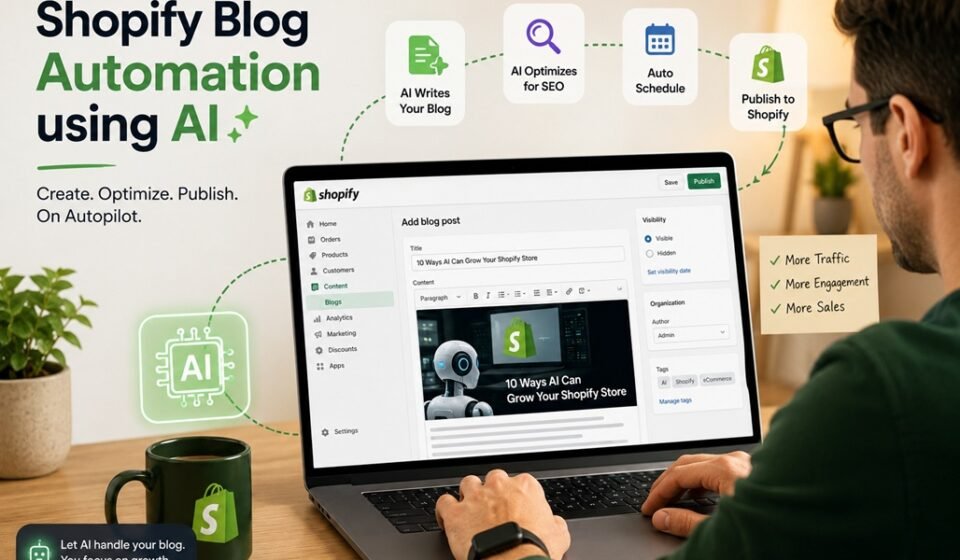

Running a Shopify store means wearing many hats — and consistently publishing fresh blog content often falls to the bottom of the priority list. Yet blogging remains one of the most powerful ways to drive organic traffic, build brand authority, and convert visitors into customers. The good news? You no longer have to write and publish every post manually. Automating your Shopify blog is not only possible — it’s easier than most store owners realize.
Here’s exactly how to set it up.
Why Blog Automation Matters for Shopify Store Owners
Before diving into the steps, it’s worth understanding what’s at stake. Shopify’s built-in blogging platform is a valuable SEO asset, but it only works when you feed it consistent, quality content. Businesses that publish regularly generate significantly more traffic and leads than those that post sporadically.
Automation solves the consistency problem without demanding more of your time. With the right tools in place, your store can publish optimized blog posts on a reliable schedule — even while you’re focused on orders, products, and customer service.
Step 1: Define Your Content Strategy First
Automation without strategy produces noise, not results. Before you set anything up, take 30 minutes to define:
- Your target audience — Who are you writing for? What questions do they ask?
- Your key topics — Choose 4–6 content pillars relevant to your products or niche
- Your publishing frequency — Start with 2–4 posts per week for meaningful SEO impact
- Your tone and brand voice — Consistent voice matters even in automated content
Having these guidelines documented ensures that whatever tool you use generates content that actually represents your brand.
Step 2: Choose an AI Content Platform That Integrates With Shopify
This is where automation becomes real. You need an AI-powered platform that can generate well-written blog content and publish it directly to your Shopify store without manual intervention.
Rock It Web’s Content Studio is purpose-built for exactly this. Designed with e-commerce store owners in mind, Content Studio uses advanced AI to generate SEO-optimized blog posts based on your niche, keywords, and brand voice — then automatically publishes them to your Shopify blog on your chosen schedule. There’s no copying, pasting, or formatting required on your end.
What sets Content Studio apart is its focus on quality and relevance. Rather than producing generic filler content, it crafts posts that are aligned with your products and your customers’ search intent — helping you rank higher and engage readers meaningfully.
Other platforms worth evaluating include Jasper, Copy.ai, and Writesonic, though most require additional third-party tools to bridge the gap between content generation and Shopify publishing. Rock It Web’s Content Studio handles both ends of the process in one place, making it the most streamlined option for Shopify merchants.
Step 3: Connect Your Shopify Store
Once you’ve selected your platform, connecting your Shopify store typically takes just a few minutes. For Content Studio:
- Log into your Content Studio account
- Navigate to Integrations and select Shopify
- Enter your Shopify store URL and authorize the connection
- Select the blog section where posts will be published
- Confirm your settings and save
After authorization, the platform can publish directly to your Shopify blog on your behalf — no plugins or complex workarounds needed.
Step 4: Configure Your Content Settings
Now it’s time to tell the system what to write about. This is where your content strategy from Step 1 pays off. Inside Content Studio, you can:
- Input your target keywords and topic clusters
- Set your preferred post length and formatting style
- Add brand voice notes or product-specific context
- Choose categories and tags for automatic organization
- Schedule your publishing calendar (daily, weekly, or custom)
The more context you provide upfront, the more on-brand your automated content will be. Spend time on this configuration step — it directly impacts the quality of what gets published.
Step 5: Review, Refine, and Monitor Performance
Automation doesn’t mean “set it and forget it” entirely. Build in a light review process, especially in the first few weeks. Most platforms allow you to preview scheduled posts before they go live, giving you a chance to catch anything that needs a personal touch.
Beyond quality checks, monitor your blog’s performance regularly using:
- Google Search Console — track which posts are gaining impressions and clicks
- Shopify Analytics — see how blog traffic contributes to sessions and sales
- Google Analytics — measure engagement metrics like time on page and bounce rate
Use this data to refine your keyword targeting and content topics over time. Automation handles the output; your insights improve the strategy.
Start Automating Your Shopify Blog Today
Consistent blogging is one of the highest-return activities a Shopify store can invest in — and automation makes it sustainable. By following these steps, you can build a content engine that works in the background, attracts new customers through search, and positions your brand as an authority in your space.
If you’re ready to get started, Rock It Web’s AI Content Studio offers a straightforward path from setup to published posts, purpose-built for Shopify merchants who want results without the manual grind. The best time to start was six months ago. The second best time is today.
Frequently Asked Questions About Shopify Blog Automation
Can you automate blog posts on Shopify?
Yes. Shopify blog posting can be automated using an AI content platform that connects directly to your Shopify store. These platforms can generate blog content, optimize it for SEO, format it, and publish or schedule it automatically, reducing the need to manually create and upload every post.
How can I automate Shopify blog posting with AI?
To automate Shopify blog posting with AI, choose an AI content platform that integrates with Shopify, connect your store, define your topics and keywords, configure your brand voice and publishing preferences, and set a publishing schedule. The AI can then generate and publish blog posts automatically according to your content plan.
Can AI write SEO-friendly blog posts for Shopify?
Yes. AI can create SEO-focused Shopify blog posts based on target keywords, search intent, related topics, headings, and your brand guidelines. However, automated content should still be reviewed and monitored to ensure it is accurate, useful, original, and genuinely relevant to your customers.
How often should I publish automated blog posts on Shopify?
For most Shopify stores, publishing 2–4 useful, well-targeted posts per week is a reasonable starting point. The ideal frequency depends on your niche, available topics, competition, and content quality. Consistency is generally more important than publishing a large volume of low-quality posts.
Can AI automatically publish blog posts to Shopify?
Yes. Shopify can be connected to AI content platforms that support direct publishing or scheduled publishing. Once the integration and publishing settings are configured, posts can be sent to your Shopify blog automatically without manually copying and pasting the content.
Is automated AI blogging good for Shopify SEO?
Automated AI blogging can support Shopify SEO when it produces genuinely useful content that matches search intent and targets relevant topics. Automation itself does not guarantee rankings. The content should provide value to readers, follow good SEO practices, and be regularly reviewed and improved based on search performance.
Do I need to manually review AI-generated Shopify blog posts?
It is recommended, particularly when you first start automating your blog. A review process can catch factual errors, inappropriate wording, brand inconsistencies, or content that needs additional expertise. Once the workflow is producing consistently high-quality content, you can reduce the amount of manual review while continuing to monitor performance.
What is the best tool for automating Shopify blog posts?
The best tool depends on your content requirements, budget, and how much of the process you want to automate. Rock It Web’s AI Content Studio is designed to combine AI content generation, SEO optimization, and Shopify publishing in one workflow, reducing the need for separate tools and manual publishing steps.