
Quick Answer: You can add a voice agent to your Shopify store by using a third-party voice AI platform (such as Rock It Web or ElevenLabs), generating an embed code or API integration, and installing it through Shopify’s theme editor or a custom app. Most solutions take under 30 minutes to set up and require no coding experience.
What Is a Voice Agent for a Shopify Store?
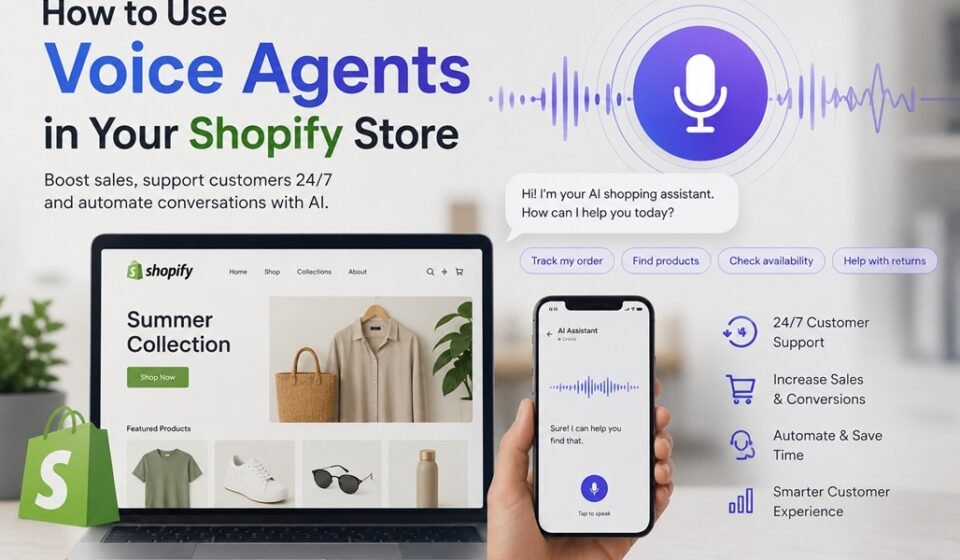
A voice agent is an AI-powered tool that allows customers to interact with your Shopify store using spoken language. Rather than typing search queries or browsing menus manually, shoppers can ask questions, check product availability, track orders, or get personalized recommendations — all through natural conversation.
Voice agents typically combine speech recognition, natural language processing (NLP), and text-to-speech technology to create a seamless, human-like experience. They can live on your storefront as a widget, integrate with smart speakers, or even power phone-based customer support lines.
Why Adding a Voice Agent to Your Shopify Store Matters
Voice commerce is growing rapidly. Studies show that over 50% of online shoppers use voice search to research products, and that number is climbing every year. Here’s why investing in a voice agent makes strategic sense:
- Faster customer support: Voice agents handle common questions instantly, reducing wait times and support ticket volume.
- Higher conversion rates: Personalized, real-time assistance helps shoppers make confident purchase decisions.
- Improved accessibility: Voice interfaces make your store more inclusive for users with visual impairments or limited mobility.
- 24/7 availability: Unlike human staff, a voice agent never sleeps — it serves customers around the clock.
- Competitive advantage: Few small-to-mid-size Shopify stores have deployed voice agents, making it a differentiator right now.
How to Add a Voice Agent to Your Shopify Store
Step 1: Choose a Voice Agent Platform
Start by selecting a platform that fits your needs and budget. Popular options include:
- Rock It Web – Activate your voice agent in your Shopify Store with a few clicks. Syncs product catalog, takes orders, and saves them into your draft orders in Shopify, and sends a notification email to admin.
- ElevenLabs – High-quality voice synthesis for branded, lifelike audio experiences.
- Tidio Voice – Beginner-friendly live chat and voice hybrid tool.
- Botpress – Open-source option with strong customization capabilities.
Step 2: Connect Your Shopify Store Data
Most platforms allow you to sync your Shopify product catalog, order data, and customer information through the Shopify API or native integrations. This enables your voice agent to answer real-time questions like “Is this jacket available in size medium?” or “Where is my order?”
Step 3: Design Your Voice Agent’s Conversation Flows
Map out the key scenarios your agent will handle:
- Product search and recommendations
- Order tracking and returns
- FAQs and store policies
- Upsell and cross-sell prompts
Use your chosen platform’s visual builder to create dialogue trees or train the AI using natural language examples.
Step 4: Embed the Voice Agent on Your Shopify Store
Once configured, embed your agent using one of these methods:
- Script tag injection: Paste the provided JavaScript snippet into your theme’s
theme.liquidfile under Online Store > Themes > Edit Code - Shopify App: Some platforms offer a dedicated Shopify app available in the Shopify App Store — simply install and configure
- Custom app: For advanced setups, a developer can build a private Shopify app using the Admin API
Step 5: Test and Optimize
Before going live, test the agent thoroughly across devices and browsers. Gather early user feedback and refine conversation flows based on where users drop off or express confusion.
Common Questions About Adding a Voice Agent to Shopify
Do I need coding skills to add a voice agent to Shopify?
No. Most modern voice agent platforms offer no-code builders and simple embed instructions. Pasting a script tag into your theme file is typically the most technical step required.
How much does a Shopify voice agent cost?
Pricing varies by platform. Many offer free tiers for low-volume stores, while advanced plans with full Shopify integration range from $26 to $300+ per month depending on usage and features.
Will a voice agent slow down my Shopify store?
Most voice agent widgets load asynchronously, meaning they won’t affect your store’s core page speed. Always test performance using Google PageSpeed Insights after installation.
Can a voice agent handle returns and order tracking?
Yes, if connected to your Shopify order data via API. The agent can pull real-time order status and guide customers through your return policy automatically.
What structured data should I add for voice search optimization?
Implement FAQ schema, Product schema, and Speakable schema markup on relevant pages. These help search engines surface your content in voice search results and smart speaker responses.
Key Takeaways
- Voice agents are accessible: You don’t need a development team to get started — no-code platforms make setup fast and affordable.
- Integration is straightforward: Connect via Shopify API or a native app, then embed a script tag into your theme.
- Conversation design matters: Thoughtfully mapped dialogue flows drive better customer outcomes than a generic chatbot.
- Voice search optimization is a bonus: Pairing your voice agent with proper structured data markup improves your organic discoverability.
- Start simple, then scale: Launch with core use cases like FAQs and order tracking, then expand into personalized recommendations over time.
Adding a voice agent to your Shopify store is one of the most forward-thinking investments you can make in your customer experience today. Start by identifying the top five questions your customers ask repeatedly — then build a voice agent that answers them instantly, at any hour, in a natural and engaging way. Your customers will notice the difference, and so will your bottom line.